Home / Pro Guides / How to Check a Fake Website Instantly
Link check guide

Check website fake or real before you pay, log in or click

Use this 60-second test before you trust a link, pay on a new site, enter login details, install an APK, scan a QR code, or share OTP. The goal is not to prove perfect safety; it is to catch the signals that make a site unsafe enough to stop.

Updated: 30 May 2026

12 min read EN Links, websites, and delivery scams
How to Check a Fake Website Instantly
Overview

Check website fake or real with a 60-second safety pause

Most fake websites do not fail because they look ugly. They fail because the story, domain, payment route, login request, or pressure pattern does not match how the real brand or service should behave.

This page gives you a fast practical test for suspicious websites, shopping pages, courier pages, bank/KYC pages, job portals, investment dashboards, fake login screens, APK download pages, and payment links.

60-second stop rule

If the site asks for OTP, UPI PIN, card CVV, remote access, APK install, personal UPI payment, crypto, gift card, or a release fee, stop and verify outside the link before doing anything else. One strong mismatch is enough to pause.

60 Second Test

The fake website verdict checklist

Fake website warning signs checklist
Use these checks before entering login, OTP, payment, or document details.
  • Domain match: compare the domain letter by letter. Watch for extra words, hyphens, swapped letters, strange endings, or a brand name hidden inside a longer domain.
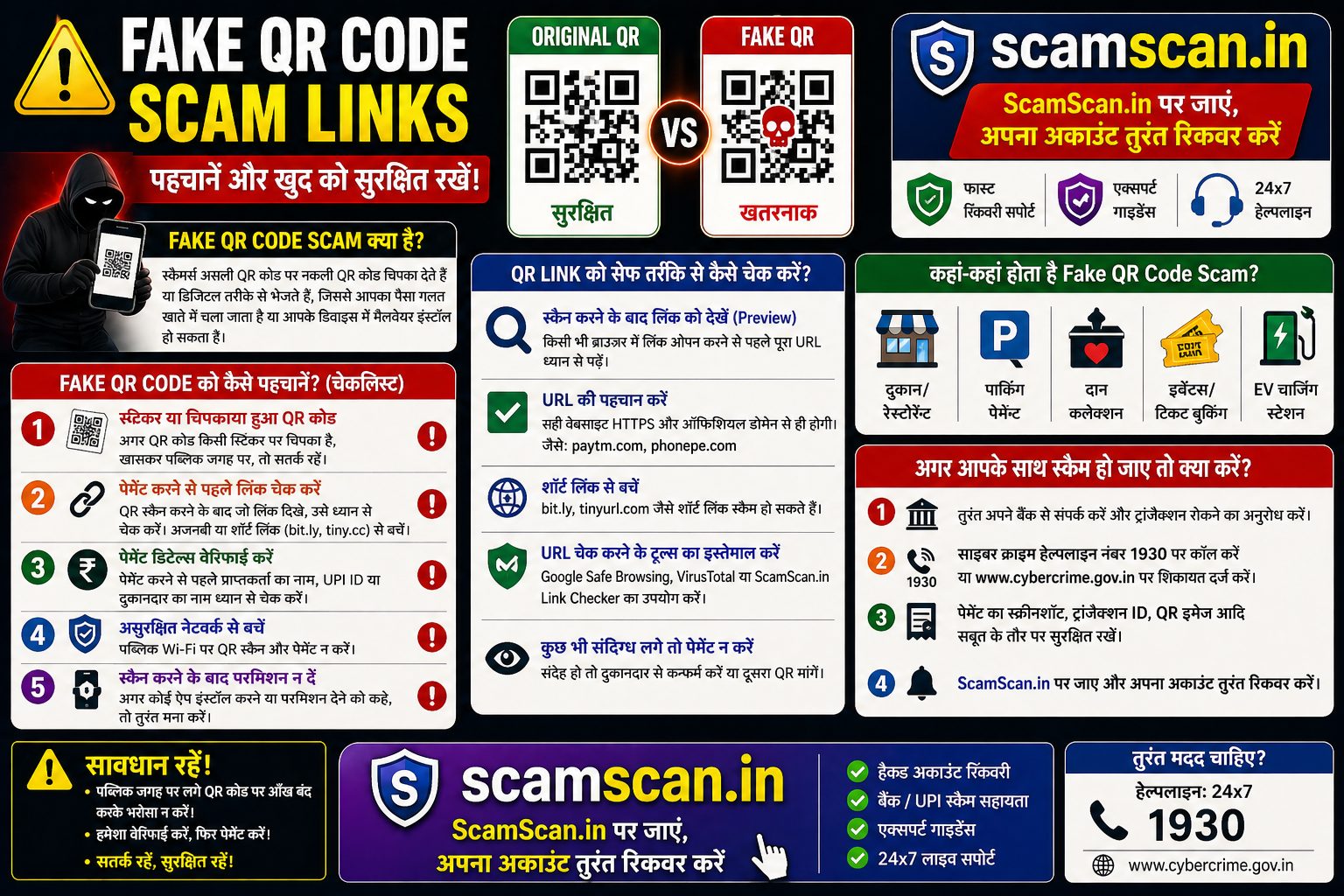
  • Source of link: SMS, WhatsApp, Telegram, QR sticker, ad result, shortened URL, random email, or fake customer support are weak trust paths.
  • Payment route: personal UPI ID, QR code, bank account, wallet, gift card, crypto wallet, courier release fee, or manual transfer can signal a fake site even when the page looks polished.
  • Login pressure: stop if the page asks for OTP, UPI PIN, CVV, password, recovery code, Aadhaar/PAN image, selfie, or full card details without a verified official path.
  • Contact proof: fake websites often show copied logos, no real address, weak privacy/refund pages, free email IDs, broken social links, and no trustworthy company identity.
  • Behavior: repeated redirects, forced downloads, APK prompts, pop-up support chats, countdown timers, and disabled back buttons are high-risk signs.
SignalWhy it is riskySafer check
Personal UPI, QR or bank accountThe payment receiver does not match the claimed brand, courier, bank, marketplace, or platform.Use the official checkout, saved app, or official website opened separately.
Courier, tax, release or verification feeSmall urgent fees are commonly used to collect card, UPI, OTP, or wallet details.Check shipment, refund, account, or KYC status on the real app or typed domain.
Only chat support or free emailFake sites often avoid traceable company identity and push all action through chat.Use official support from the brand domain, app store listing, invoice, or saved contact.
OTP, CVV, UPI PIN or recovery code requestThese are direct account or payment takeover signals.Stop and contact the bank, wallet, platform, or official support independently.
Status Check

How to check website status without trusting the page

Fake website status check flow
Check outside the suspicious page, then return only if the evidence makes sense.
  1. Copy only the domain

    Do not log in. Copy the domain carefully and remove tracking text after question marks if you are only checking the main site.

  2. Open the real brand separately

    Type the known brand domain yourself or use the official app. Compare order, complaint, KYC, refund, or login status there.

  3. Use public lookups

    Check Google Safe Browsing, Microsoft unsafe site reporting, VirusTotal or urlscan-style public pages when you need another signal. A clean result is not a guarantee, but a warning is useful.

  4. Check the payment route

    Before paying, verify whether the payment is inside the real platform. A new UPI ID, QR, crypto wallet, or personal bank account is not normal for many brand workflows.

  5. Use ScamScan support tools

    Open the URL scanner for link context, message checker for the surrounding message, and document checker if a PDF or invoice is involved.

Scam Flows

Fake website patterns that rank high in real searches

Fake shopping site: cheap price, limited stock, prepaid-only checkout, personal UPI, copied reviews, and no reliable order support.

Fake bank or KYC site: account block warning, KYC deadline, OTP form, card details, Aadhaar/PAN upload, and a domain that is not the bank's real site.

Fake courier or parcel site: delivery failed, address update, customs fee, warehouse release, APK download, or a tiny fee that leads to card/UPI theft.

Fake job or document site: offer letter download, registration fee, training fee, ID upload, fake interview portal, or salary unlock payment.

Fake investment dashboard: wallet balance appears high, withdrawal is blocked, and the site asks for tax, AML, verification, or unlock fees.

If You Entered Details

What to do after entering data on a fake website

Fake website response steps
Move from panic to containment: accounts, money, device, evidence, then official reporting.
  • Password entered: change it from the real site on a clean device, log out unknown sessions, enable 2-step verification, and check recovery email/phone.
  • UPI PIN, card, or bank details entered: contact bank, card issuer, UPI app, or wallet immediately through the official app/card number.
  • OTP shared: treat the account/payment as active risk. Change passwords, revoke sessions, contact provider, and save the OTP timeline.
  • APK or file installed: disconnect risky sessions, uninstall from settings, scan the device, review permissions, and avoid using banking apps until checked.
  • Documents uploaded: save the upload page, file names, suspect domain, and report identity misuse risk through the relevant platform and official complaint route.
Proof Pack

Evidence to save for a fake website complaint

Fake website evidence checklist
Good proof keeps the same timeline across bank, platform, 1930, and cybercrime.gov.in.
  • Full URL, domain, redirected URL, screenshot, page title, form fields shown, and any download file name.
  • Message, ad, email, QR, phone number, social profile, or search result that led you to the site.
  • Payment proof, UTR, transaction ID, bank or wallet name, amount, date, time, receiver UPI/account, and complaint IDs.
  • Login alert emails, OTP messages, password reset notices, unknown device/session screenshots, and support ticket numbers.
  • Short incident timeline: how you found the website, what you entered, what money/access changed, and when you reported it.
Official Routes

Where to report a fake website or phishing page

Fake website prevention and reporting routes
Report through the channel that matches the harm: browser, brand, bank, platform, 1930, or cybercrime.gov.in.
FAQ

Common fake website questions

How can I check if a website is fake or real quickly?

Start with the domain spelling, HTTPS lock, exact brand URL, contact details, payment method, login page, refund policy, and whether the site came from a risky ad, SMS, WhatsApp, or short link. If money or login is involved, open the real brand site yourself instead of trusting the link.

Is HTTPS enough to prove a website is safe?

No. HTTPS only means the connection is encrypted. A fake website can still use HTTPS. Check the domain, brand match, payment route, page behavior, contact proof, and whether the site is asking for OTP, UPI PIN, card details, or downloads.

What is the biggest fake website warning sign before payment?

The strongest warning is a mismatch between the story and the payment route: personal UPI ID, random bank account, QR code, crypto wallet, gift card, courier release fee, or pressure to pay outside the real platform.

Should I open a suspicious website to inspect it?

Do not open it on your main phone if it came from a scam message. First copy the domain carefully, use a URL checker, check Google Safe Browsing or other public lookups, and open the real brand app/site separately.

What proof should I save for a fake website complaint?

Save the full URL, redirected URL, screenshots, page title, message source, sender details, payment proof, UTR or reference number, receiver UPI or account, login alerts, OTP timeline, downloaded file name, and complaint IDs.

Where can I report a fake website in India?

If money, credentials, documents, or identity risk are involved, use your bank or wallet, 1930, and cybercrime.gov.in. You can also report phishing pages to Google Safe Browsing, Microsoft unsafe-site reporting, and the impersonated platform.

Is ScamScan an official fake website checker?

No. ScamScan is not a government, police, bank, browser, or platform authority. It helps you organize risk signals and choose safer official next steps.

Related Guides

Read next

Link safety

Check scam link before clicking

Use this when the risky website came from SMS, WhatsApp, email, QR, or a short link.

Read guide
Bank phishing

Netbanking login page phishing checklist

Use this when the page asks for bank login, OTP, card, KYC, or account unlock details.

Read guide
Courier links

Fake courier scam explained

Use this when a parcel, delivery, customs, or address-update website is pushing a payment or APK.

Read guide